mirror of
https://github.com/TeachBooks/template.git
synced 2026-11-12 22:25:52 +00:00

7.9 KiB
7.9 KiB
Template
This is the template book. You can use this book as a template to start your own TeachBook in as easy-as-possible a way.
Steps to use this template and publish it online
- To get started making your Jupyter Book with our functionalities, use the template book as template:
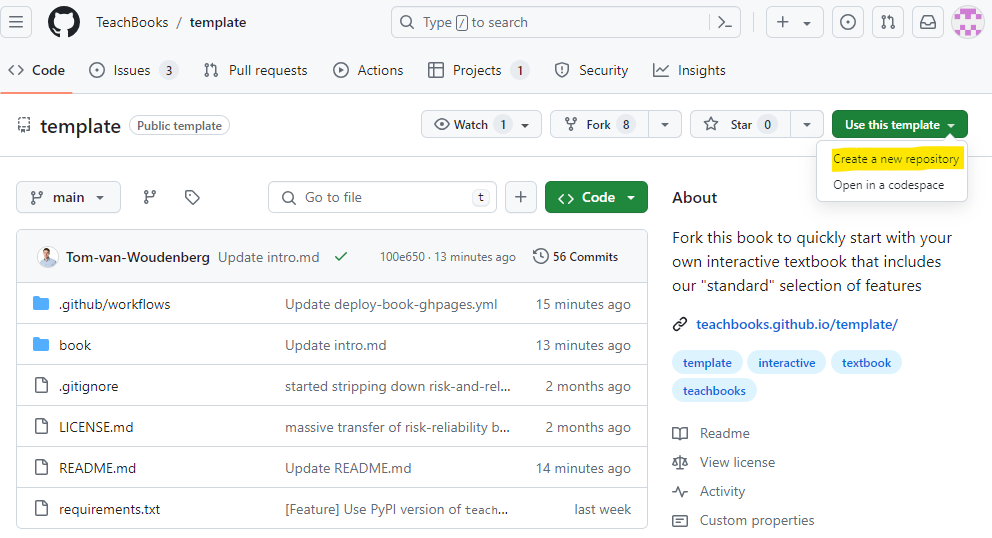
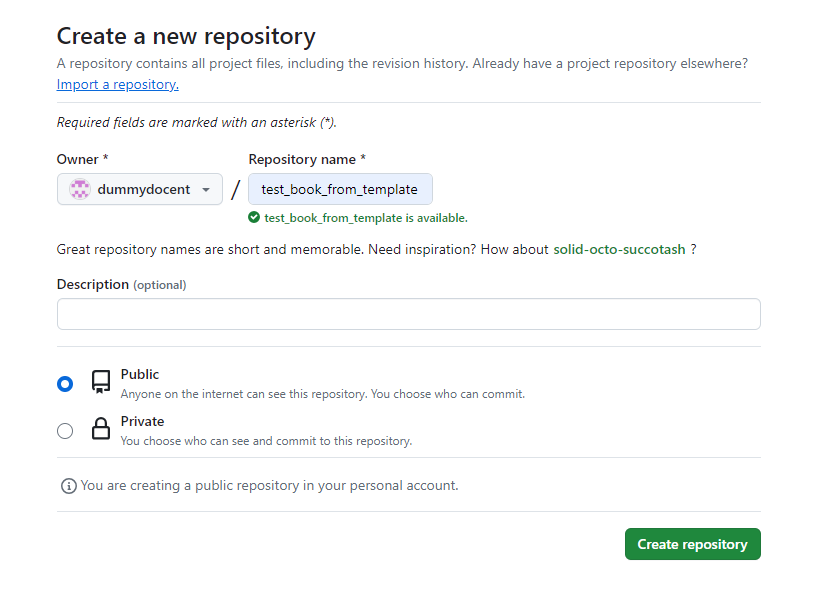
- Fill in a repository name, this name will be used in the future url of your book:
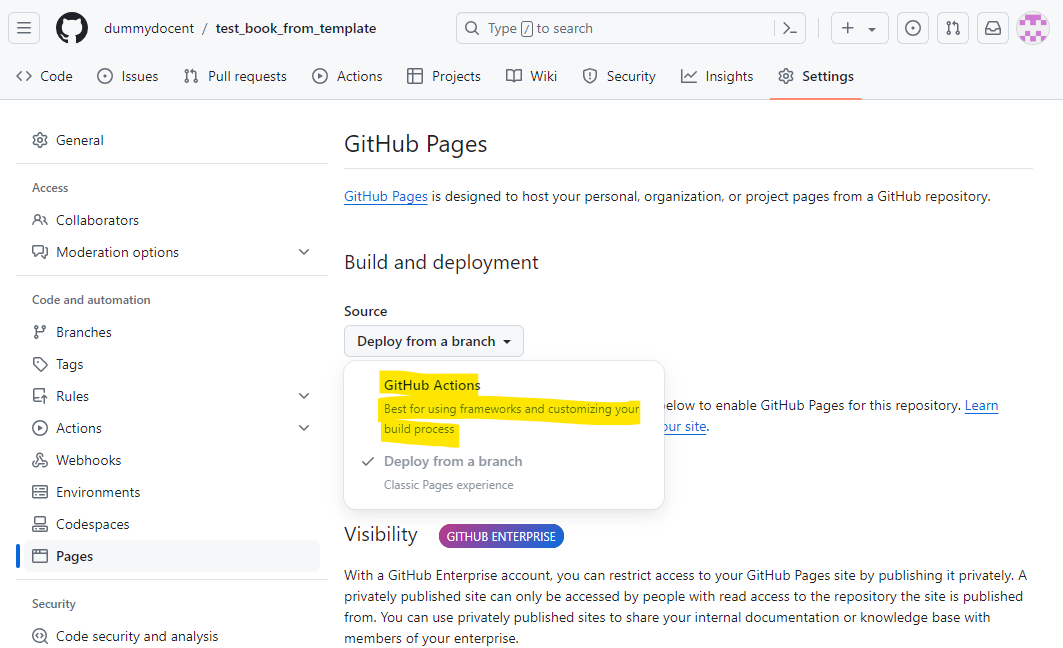
- Set source for GitHub pages to GitHub Actions under
Settings-Pages-Build and deployment-Source-GitHub Actions:
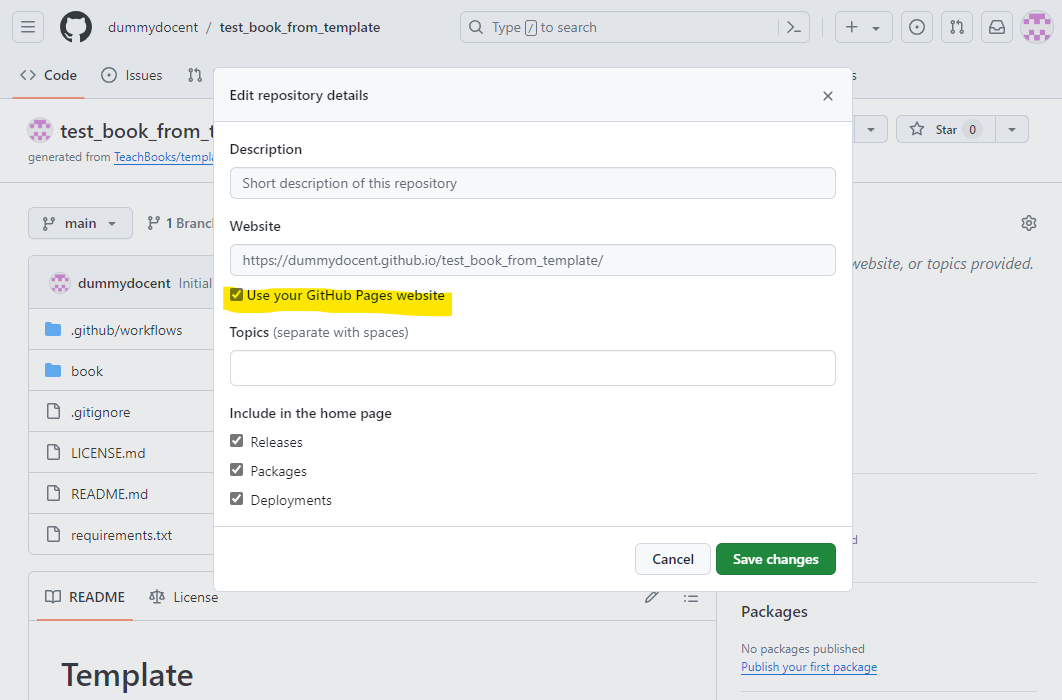
- Set repository website as your GitHub Pages website under
Code-About- -Website-Use your GitHub Pages Website
- Wait a few minutes for the website to be deployed, if you're curious, have a look at the progress under
Actions-All workflows:

- When the workflow has finished, visit your build book at
https://<username/organization_name>.github.io/<repository_name>(case sensitive). For our example it is https://dummydocent.github.io/test_book_from_template/ for the shown repository.